How to fix ‘Invalid Trace Directory’ errors

As part of the migration process I’ve been going through the event logs for our CRM deployment to ensure everything is working correctly, during this I came across an ‘Invalid Trace Directory’ error (event id 17203) which was showing the following –

Invalid Trace Directory. Additional Info:[ Invalid Trace Directory (Reporting Process:Trace Diretory is Null. TraceSettings: {Filename:  ,FileCountSuffix:1 ,TraceFileSize:10485760 ,TraceDirectory: ,TracingCallStack:No ,IsTracingOff:Yes ,LoadState:LoadSuccessfulUnreported ,RefreshTraceInt:-1 ,SiteWideRefreshTraceInt:-1 ,RegistryRefreshTraceInt:6 ,Precedence:Default} ] , AppDomain:CrmAsyncService)

This error is because by default the Trace Directory will be set to ‘C:\crmdrop\logs’ which doesn’t normally exist (but you can just create it for a quick fix, I’d suggest changing it using the instructions below though).

Although this error doesn’t cause a huge issue it can keep producing quite a few errors in the event log which nobody likes to see –

eventtraceissue

Now this is pretty easy to resolve using a bit of PowerShell as I’ll show below.

Continue reading “How to fix ‘Invalid Trace Directory’ errors”
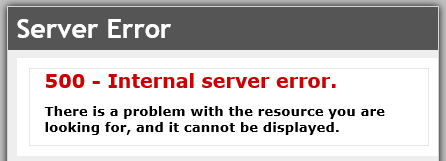
How to Resolve 500 Internal Server Errors Caused by Custom Parameters in Dynamics CRM

I’ve spent quite some time now banging my head off the desk to figure out what was causing an issue with one of our PowerObjects solutions after we’d attempted to migrate to CRM 2016 from CRM 2013 and have finally found the cause.

Quite a few solutions in the market use custom parameters on the end of address’s to pass data which if you look at a network trace in any browser will display similar to this –

https://dynamics-URL/OrgName/WebResources/powf_/EntityLookup.html?dType=1

However, after you’ve migrated you may find you start seeing the ever useful generic 500 error when attempting to do lookups of any kind which I’ll show you how to fix.

Continue reading “How to Resolve 500 Internal Server Errors Caused by Custom Parameters in Dynamics CRM”

Why you should avoid folders like the plague in SharePoint

In this article I hope to cover a few reasons why you should avoid using folders in SharePoint. In a perfect world there would never be a need for folders in SharePoint as every user would correctly tag up every document and the system would perfectly sort the documents into the correct area then display it to every user perfectly, however this is the real world and there are quite a few reasons you may want to or be forced to create folders.

My aim is to make you pause and consider if you really need to create that folder before you do though.

Continue reading “Why you should avoid folders like the plague in SharePoint”

Firefox no longer compatible with SharePoint 2013 after latest update (52)

A quick note for those who use Firefox as their default browser of choice, Firefox’s latest release (52.00) is no longer compatible with SharePoint. This is due to Firefox removing any support for addons not coded in Flash, the effect of this is that the Office plugins used primarily to create new documents in SharePoint is no longer able to run meaning you’ll run into errors if you try to create new documents using Firefox.

Continue reading “Firefox no longer compatible with SharePoint 2013 after latest update (52)”

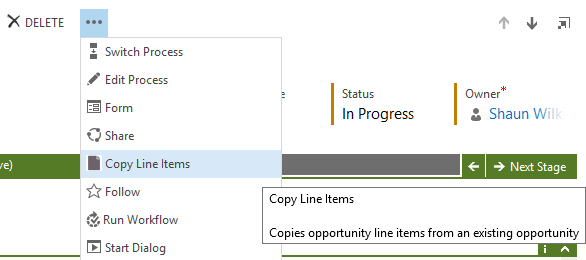
‘Copy Opportunity Line Items’ solutions now supports CRM 2016 and the new WebAPI

I’ve completely rewritten the solution to work with CRM 2016 and removed all external dependencies in the process, this does unfortunately mean that this solution no longer supports CRM 2013 however v1.2 is stable and works for CRM 2013 perfectly.

Update 1.3

  • This version and new versions will only be compatible with CRM 2016.
  • Updated solution to use the CRM 2016 WebApi version 8.0
  • Totally rewritten with the WebApi in mind (likely to rewrite sections in future, however it works)
  • Removed SDK.REST dependency
  • Removed JSON2 dependency
  • Removed limitVisibilityToOpportunity js file (replaced with XML in the Application Ribbon)
  • Solution no longer alerts the user upon clicking ‘Copy Items’ button
  • Solution will no longer replace price list unless required.
  • Solution will no longer display the ‘remove current items’ question unless there are current items.

The latest version can be found at https://github.com/ShaunWilkinson/CopyOpportunityProducts/

WindowsSearch error when installing Dynamics CRM on Server 2016

I’ve been testing the migration process from CRM 2013 to CRM 2016 recently and came across a potential issue, in some cases it seems that Windows Server 2016 has the search service disabled which causes an error message stating –

‘Action Microsoft.Crm.Setup.Common.InstallWindowsSearchAction failed. The service cannot be started, either because it is disabled or because it has no enabled devices associated with it. (Exception from HRESULT: 0x80070422)’

Continue reading “WindowsSearch error when installing Dynamics CRM on Server 2016”

‘Copy Opportunity Line Items’ solutions now supports CRM 2016 and the new WebAPI

I’ve completely rewrote the solution to work with CRM 2016 and removed all external dependencies in the process, this does unfortunately mean that this solution no longer supports CRM 2013 however v1.2 is stable and works for CRM 2013 perfectly.

Update 1.3

  • This version and new versions will only be compatible with CRM 2016.
  • Updated solution to use the CRM 2016 WebApi version 8.0
  • Totally rewritten with the WebApi in mind (likely to rewrite sections in future, however it works)
  • Removed SDK.REST dependency
  • Removed JSON2 dependency
  • Removed limitVisibilityToOpportunity js file (replaced with XML in the Application Ribbon)
  • Solution no longer alerts the user upon clicking ‘Copy Items’ button
  • Solution will no longer replace price list unless required.
  • Solution will no longer display the ‘remove current items’ question unless there are current items.

The latest version can be found at https://github.com/ShaunWilkinson/CopyOpportunityProducts/

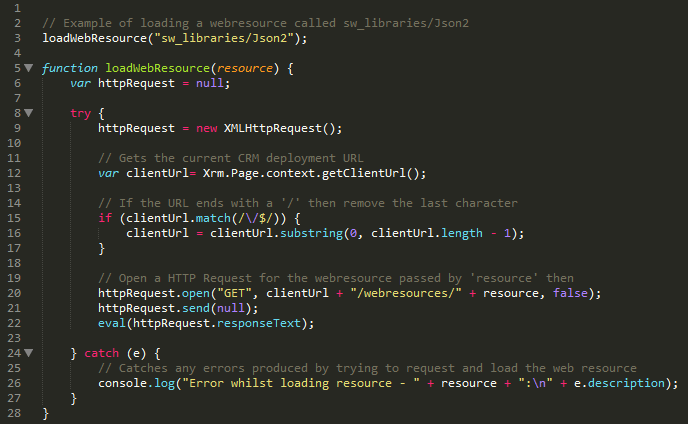
Loading and Using Required Form Libraries Programmatically – JavaScript CRM 2013

Something I had quite a bit of trouble figuring out when I set out to make my own CRM solution is ‘how do I use required form libraries without manually adding them to each form?’  or to put it another way ‘is there any way to programmatically load web resources?’ and the answer is “by using the code below” and “yes”.

Before I continue I would like to give credit to Inogic from the Dynamics Community for providing the code I originally used.

Continue reading “Loading and Using Required Form Libraries Programmatically – JavaScript CRM 2013”

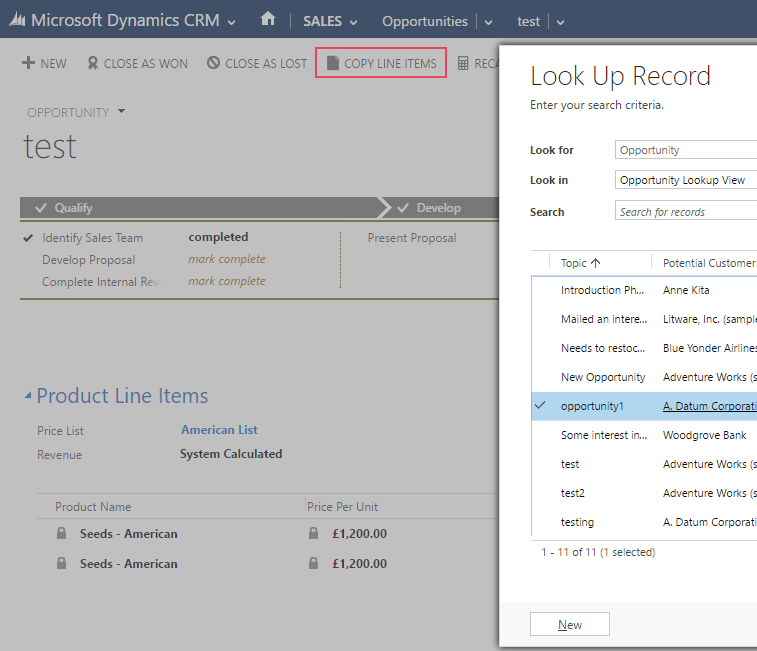
Release of ‘Copy Opportunity Line Items’ CRM 2013 Solution

I’ve released a small solution on CodePlex for CRM 2013 online and on-premise which adds a new command bar button to the opportunities entity which will allow you to perform a lookup of another opportunity and to copy the line items from that opportunity to the current one.

Copy Opportunity Line Items – Dynamics CRM Solution

Continue reading “Release of ‘Copy Opportunity Line Items’ CRM 2013 Solution”

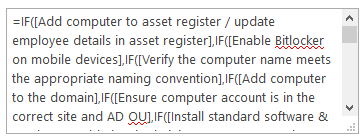
SharePoint Calculated Column and Nested IF’s Limitation Cheat Sheet

I thought I would gather some information on the limitations of calculated columns and nested if statements in different SharePoint versions. This is just meant to act as a really basic limitations cheat sheet which I’ll update if I find out anything new.

Continue reading “SharePoint Calculated Column and Nested IF’s Limitation Cheat Sheet”